React Notes
Here is the official website for React:
React Official Website1. React Basics
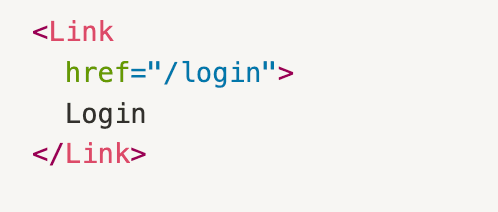
Now, let's talk about React. Simply put, React is a JavaScript framework created by Facebook to make it faster/easier to build applications. The general idea is that we create react elements (ie building blocks). React elements describe the building blocks of what you see on the screen (eg html tags like:)

React components are functions or classes that return React elements. You can think of React components as the blueprint for a building and React elements as the bricks that are used to build with.
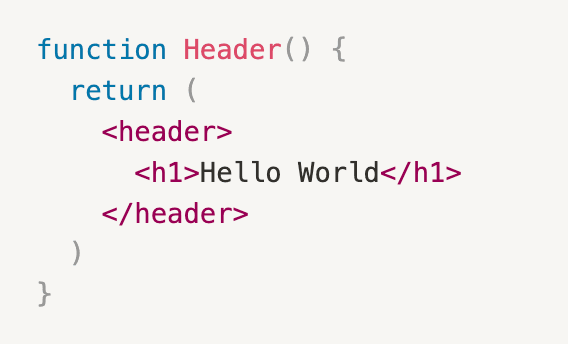
The hierarchial collection of React componenents determine the UI appearance and behavior, thus they make up the React app.
Here's a summary of the relationship between all of these React parts:
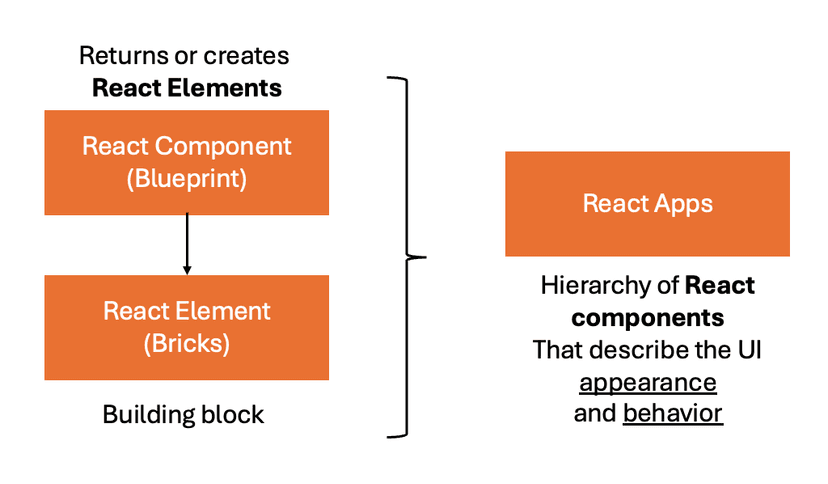
In summary, React takes our React functions (which are written with JSX), and transforms them into an optimal form for the browser, again, aking it easier to build applications.
React Component Example
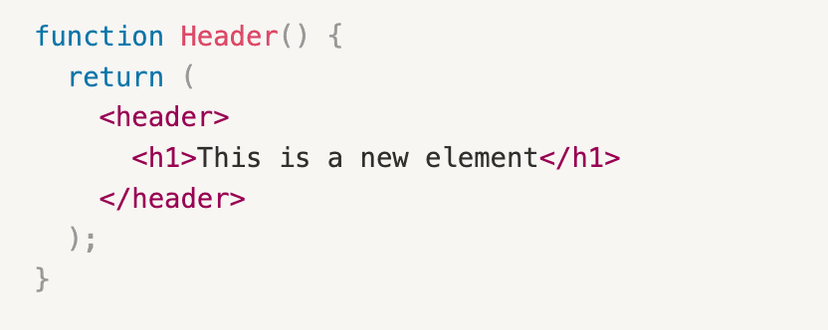
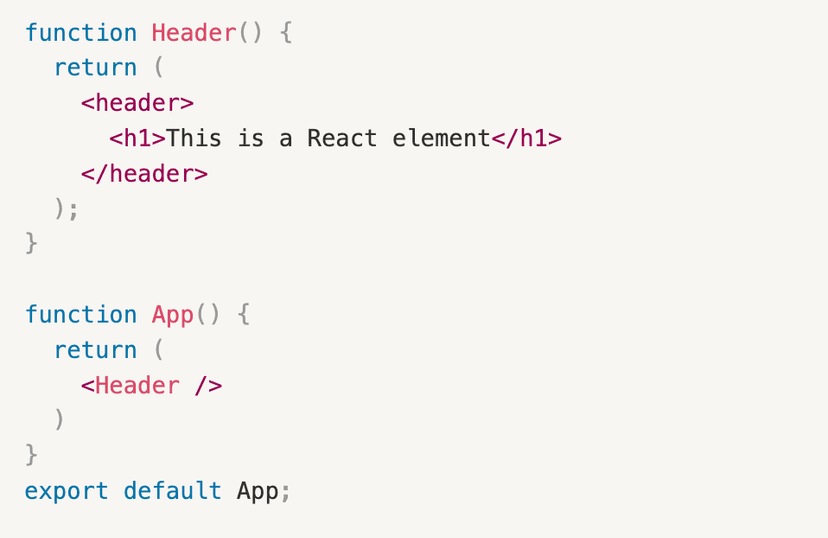
Here is an example of creating a React component.
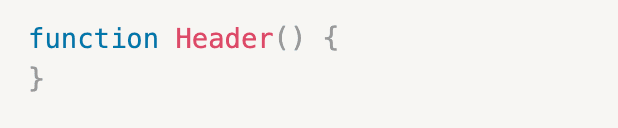
- Initialize a function
- Return a JSX component (ie React element)
- Another option is to return another function within a React function
What if we really want to be fancy and return more than one element? Do you think this is allowed?
The answer is NO! JSX expressions carry only one parent element, which means React components can only return ONE parent element.
Returning Multiple Parent Elements in React Components
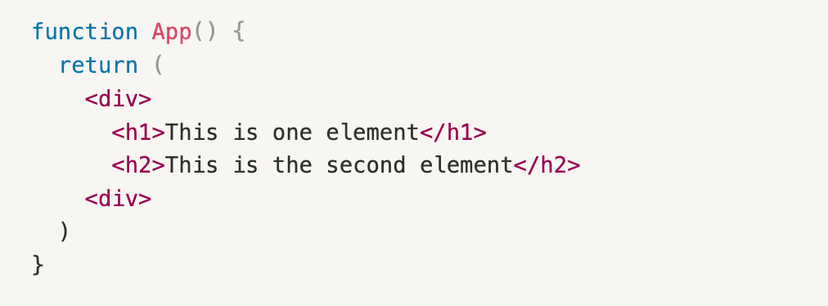
In React, to return more than one element, you must wrap the elements within a <div> </div> container. Because that way, it still adheres to the single parent element principle.
2. React Components and Passing in Props
Now, we will explore an important concept in React components: props and objects. Remember React components are functions/classes that can take in parameters. Objects can be passed in as parameters to React components. We can also do what's called "passing in props", which is when we pass in attributes to react components. When we pass these attributes in, they actually get passed in as a single object parameter, with those attributes grouped together. This is called the props object.
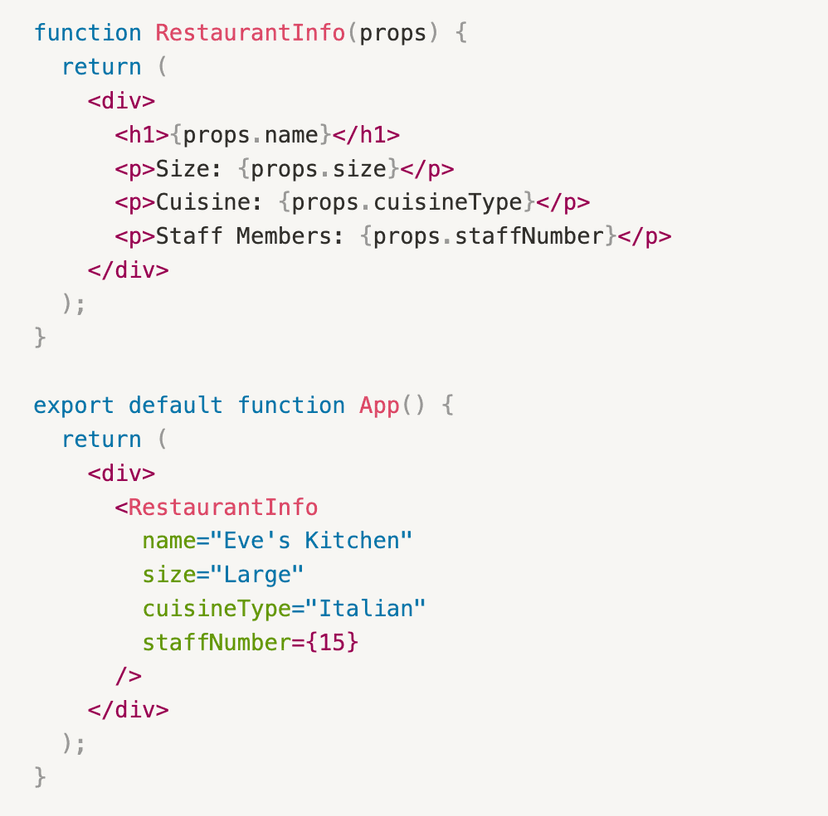
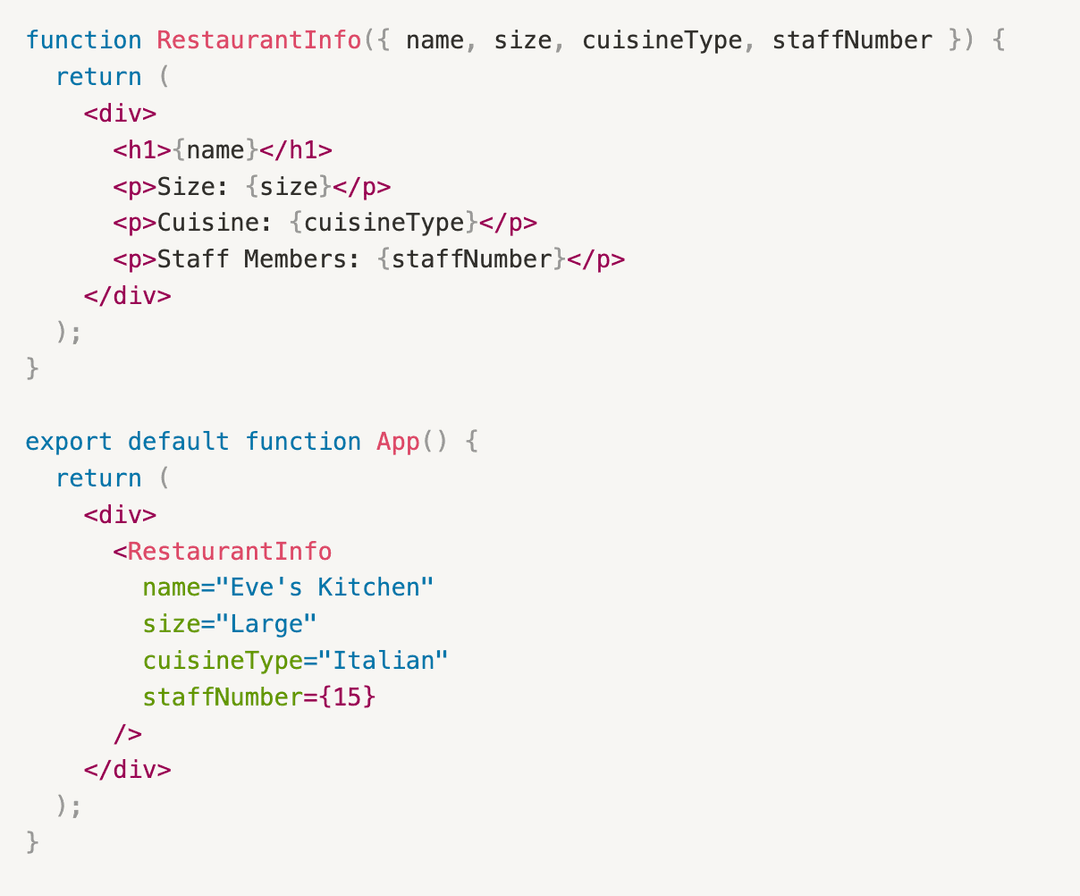
In this example, the parent component isApp() and the child component is RestaurantInfo(props). As you can see, the attributes passed into RestaurantInfo(props)are name, size,cuisineType, and staffNumber. These attributes are passed into the child component as a single props object. RestaurantInfo(props) then renders the JSX elements, which are translated into HTML elements then rendered on the browser.
Accessing Props Attributes
Now that we understand the concept of props, it's now time to learn how to access the attributes of these props. There are two general ways to access props' attributes.
- Dot Notation
The example you see before is using dot notation to access the attributes within the props object. The syntax is:
props.attribute - Destructuring Props
This method of accessing attributes is less verbose so it is often preferred over the dot notation.
For more information about props in React, refer to this official document from React.
Passing Props in React3. Useful Resources for React Components
Here are a few resources for writing certain React components.Adding Images in React (Next.js ed)
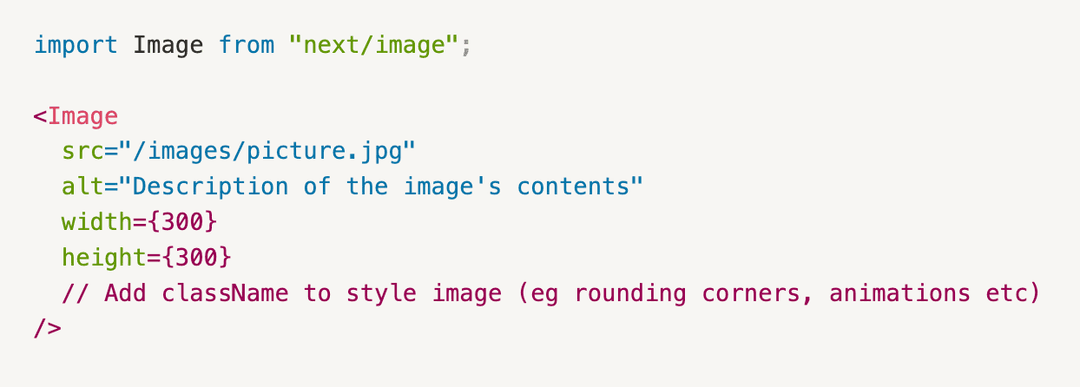
Assuming a Next.js framework, to display an internal image, follow these instructions:- Import the appropriate package:
import Image from "next/image"; - Create an
imagesfolder under thepublicfolder. Add your image in this folder. - In the file you want to render the image, add the
<Image></Image>tags. - Within the opening
<Image>tag, add these following attributes: src, alt, width, height. - In the
srcattribute, add a path to your image file. For instance, if we had a picture called "picture.jpg" nested under the images folder, we would have this src path:src="/images/picture.jpg" - In the
altattribute, it's a short description that tells client the content the image has. It's up to the developer to write an appropriate summary that explains the contents of the image. It's often used by screen readers (eg for visually impaired users) or for search engine optimization. - In the
widthandheightattributes, we can set the width and height of the image within . For instance,width={300}andheight={300}. - Lastly, we can add styling to the image via
className="". This step is not necessary, but we can adjust the image (eg rounding the corners, animations, etc).
To add external links, you just add the link within the srcattribute. Just be aware that the external images may load slower. Also, ensure to review the copyright and usage rights associated with that image.
Adding Images in React (HTML ed)
- No import required.
- Same steps and attributes as
<Image>
Adding Links to Internal Pages in React
Again, assuming we are working in Next.js, we can use their special <Link> component to add page navigation to another internal page. Here are the steps:
- Import the following:
import Link from "next/link"; - Within the
<Link>tag, add thehrefattribute. Add a path to that page file (eg pages/about.js). If navigating to an external website, you can use the<a>. - Next, between the opening and closing tags, add the text you want the URL to hide within.